A saved copy of a real FixThenShip review. Nothing on this page is live.

This is a saved copy of a real review, made on 14 November 2026. The sample app's code is in a private repository, so the links to its pull requests and code files will not open for you; the video shows them. Back to FixThenShip.

Run 65ace055-da83-457c-8823-092a350a49a8

daily-bloom-community

What Apple's message means

Each guideline Apple named, in plain words. This is not legal advice.

Guideline 5.1.1(v)

Legal: Privacy - Data Collection and Storage

In plain words
If people can create an account, they must be able to start deleting it inside the app. An app with no real account features should also work without forcing a login.
What the reviewer most often saw
The reviewer found no Delete account option in the app, only a way to deactivate or a request to email support, or had to log in to use features that need no account.
What to do first
Add a Delete account button in the account settings that removes the account and its data, with a confirmation step.

Our check for this: An account can be deleted in the app: Fixed and verified
Guideline 2.1

Performance: App Completeness

In plain words
Send a finished app: no crashes, no placeholder text, no dead links, and a login the reviewer can use. Apple may also write plain 2.1, or 2.1 with the label Information Needed when the reviewer is stuck and asks you a question.
What the reviewer most often saw
The reviewer hit a crash, an error, a blank screen or a button that did nothing, often on an iPad, or saw placeholder content, or could not get past the login (a server that cannot be reached on IPv6-only networks, rule 2.5.5, looks the same).
What to do first
Read the bug description and the device named in the message, repeat those steps yourself at that screen size, and check that the demo login in App Review Information still works.

Our checks for this: The app loads without errors: Passed; No placeholder content: Fixed and verified; No dead buttons or broken links: Passed; The reviewer can get in: Passed

Show the message you pasted
Hello, We noticed some issues in your submission that require your attention. Guideline 5.1.1(v) - Legal - Privacy - Data Collection and Storage Issue Description The app supports account creation but does not include an option to initiate account deletion. Guideline 2.1 - Performance - App Completeness Issue Description The app included placeholder content. Specifically, we found placeholder text on the About screen. Next Steps Please revise the app and resubmit it for review. Support Reply to this message in App Store Connect and let us know if you have any questions.
FixThenShipReview rehearsal

Review of daily-bloom-community

Date

3 need you, 4 fixed and verified, 3 passed

We used your app again after the fixes. Each guideline below shows where it stands now.

Guideline 4.8Needs you

Third-party login comes with an Apple option

The problem
Your app offers sign-in with Google or another company but not "Sign in with Apple".
Why Apple cares
Apple asks apps that offer another company's sign-in to also offer an option that is just as private, such as Sign in with Apple.
What we do
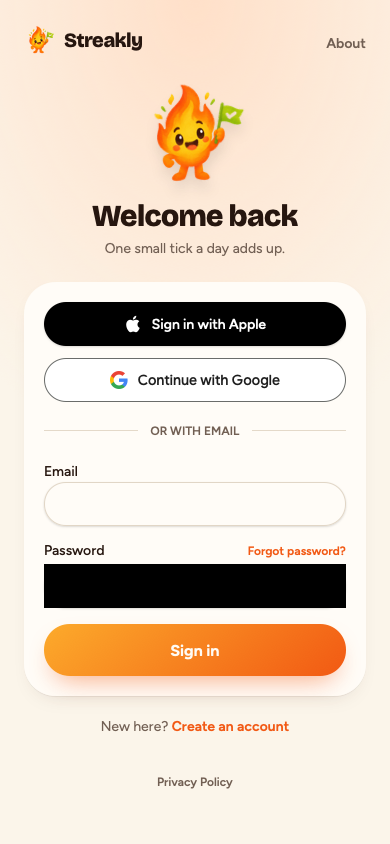
We add the "Sign in with Apple" button; you then add your Apple keys so it works.

Needs you: Add your Apple developer keys to finish Sign in with Apple

Show the evidence

The app offers Google sign-in but no Sign in with Apple option, and a reviewer would likely reject third-party login without an equivalent Apple option. In the app: The sign-in screen offers 'Continue with Google' and an email/password form, but does not offer any Apple sign-in option ('Sign in with Apple' or 'Continue with Apple').

Evidence

src/components/google-button.tsx:22Google sign-in "Continue with Google" without Apple

Before the fix

Screen at the end of the R7 check

After the fix

After the fix: screen at the end of the R7 check
Confidence: highChecked in the code and the running appFirst review: Likely rejectionR7
Guideline 3.1.1Needs you

Digital goods are not sold through outside checkout

The problem
Your app sells a paid plan or digital extras through an outside checkout such as Stripe.
Why Apple cares
Inside an iPhone app, Apple requires digital goods and subscriptions to be sold through its own in-app purchase.
What we do
We hide the outside checkout inside the iPhone app; to sell there you need to set up in-app purchase.

Needs you: Selling inside the iPhone app needs in-app purchase; the outside checkout is now hidden there

Show the evidence

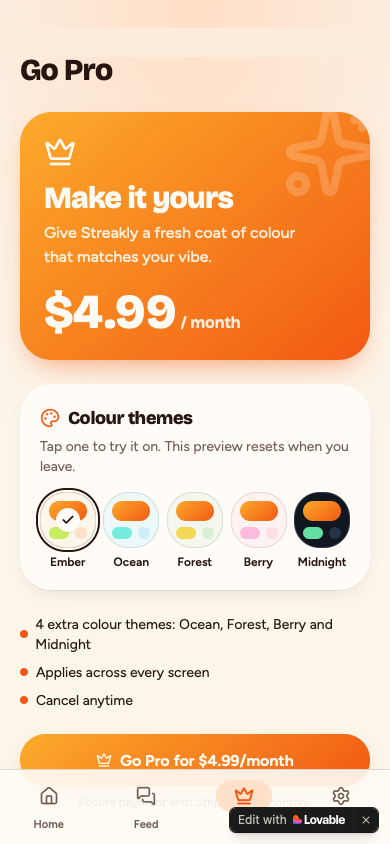
The app sends users to an outside checkout ("buy.stripe.com") for digital goods such as "Pro", which a reviewer would likely reject in favour of In-App Purchase. In the app: A link with href 'https://buy.stripe.com/test_fixthenship_pro_499' and text mentioning secure payment with Stripe.

Evidence

src/lib/themes.ts:12Outside checkout "buy.stripe.com"
src/lib/themes.ts:12After the fix: Outside checkout "buy.stripe.com"
src/routes/_authenticated/pro.tsx:82After the fix: Digital goods "Pro"
src/routes/_authenticated/settings.tsx:107After the fix: Digital goods "Pro"
Screen at the end of the R8 check
Confidence: highChecked in the code and the running appFirst review: Likely rejectionR8
Guideline 4.2.6Needs you

No app-builder badge or default branding

The problem
Your app still shows the app builder's badge, name or default icon.
Why Apple cares
Reviewers reject apps that look like an untouched template rather than a product of their own.
What we do
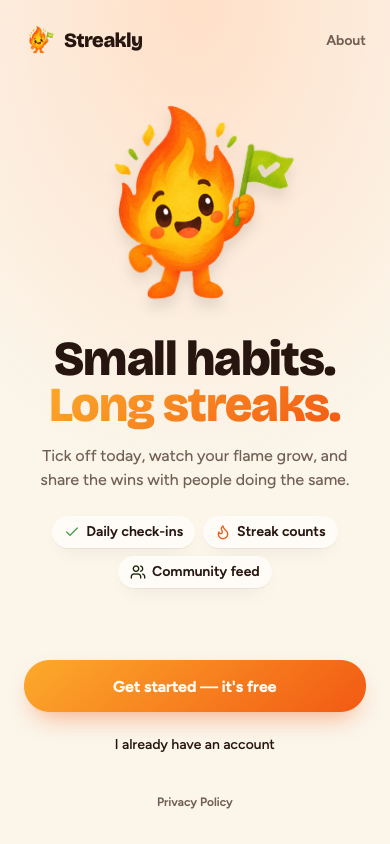
We remove the builder's name and default branding from your code; you switch off the floating badge in your builder's settings.

Needs you: Switch off the builder's badge in your app builder's project settings; its hosting adds the badge, not your code

Show the evidence

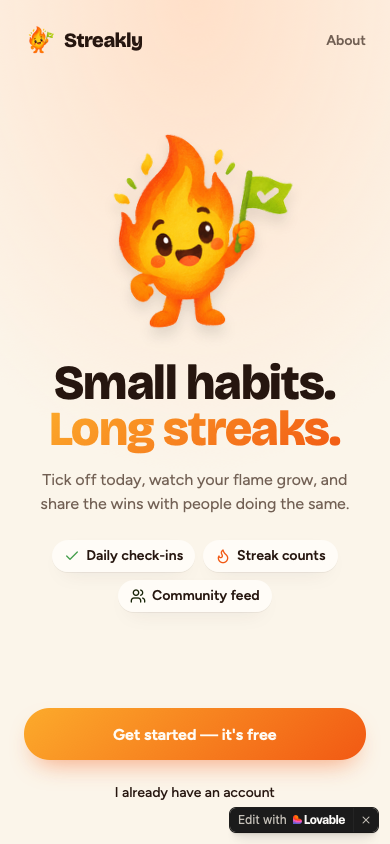
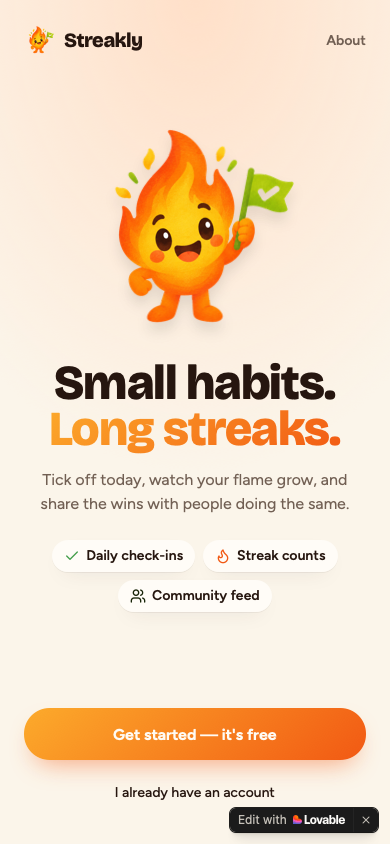
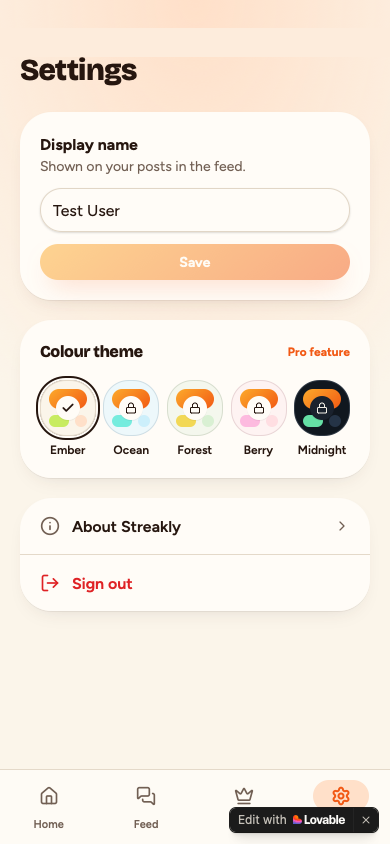
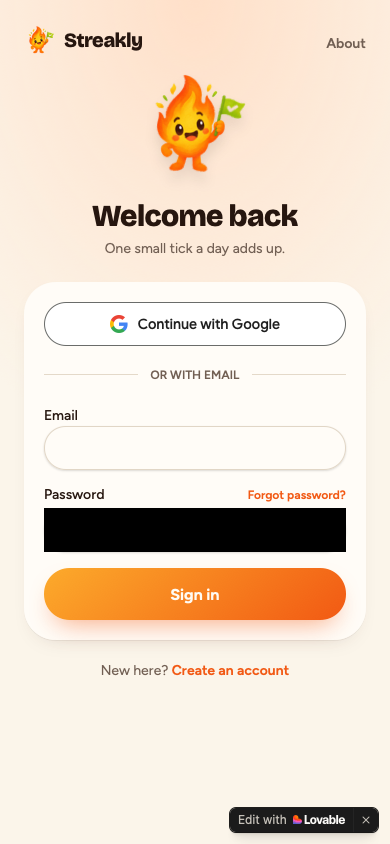
An app-builder badge or link is visible on the first screen: "Edit with Lovable".

Evidence

Before the fix

Screen at the end of the R10 check

After the fix

After the fix: screen at the end of the R10 check
Confidence: mediumChecked in the running appFirst review: Likely rejectionR10
Guideline 2.1(a)Passed

The app loads without errors

What reviewers reject
Your app shows an error or a blank screen when it opens on a phone.
Why Apple cares
Reviewers reject apps that crash or do not load, because that is the first thing a customer would see.
How it gets fixed
We find what breaks while the app loads and fix it so the first screen appears cleanly.
Show the evidence

Passed.

Evidence

Screen at the end of the R1 check
Confidence: mediumChecked in the running appR1
Guideline 2.1(a)Fixed and verified

No placeholder content

The problem
Your app still shows leftover placeholder text such as "Lorem ipsum" or "Coming soon".
Why Apple cares
Placeholder text makes an app look unfinished, and reviewers reject apps that look like a draft.
What we do
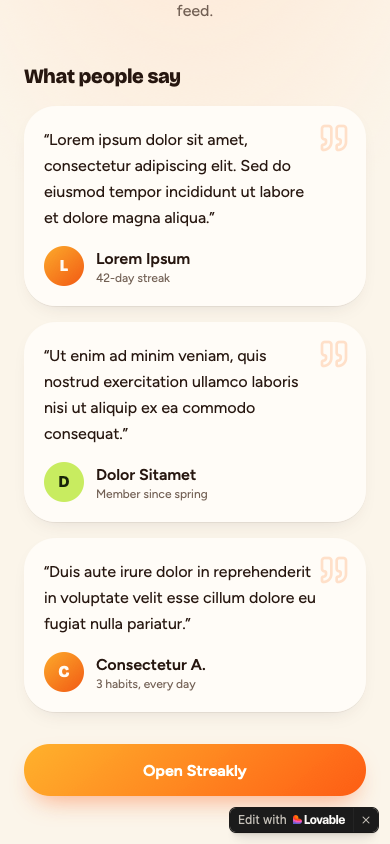
We replace the placeholder text with real wording or remove the unfinished parts.
Show the evidence

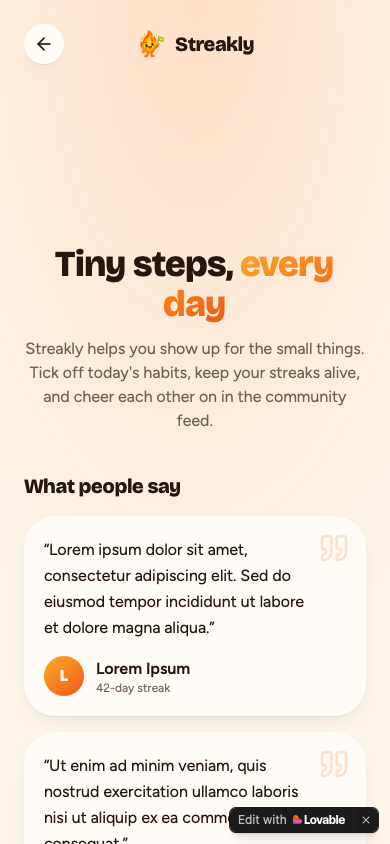
Placeholder text such as "Lorem Ipsum" is shown to users in 1 place, which a reviewer would likely treat as an unfinished app. In the app: The screen contains explicit placeholder content such as 'Lorem ipsum dolor sit amet.' and dummy names like 'Lorem Ipsum' and 'Dolor Sitamet' under 'What people say'.

Evidence

src/routes/about.tsx:21Placeholder text "Lorem Ipsum"

Before the fix

Screen at the end of the R2 check

After the fix

After the fix: screen at the end of the R2 check
Confidence: highChecked in the code and the running appFirst review: Likely rejectionR2
Guideline 2.1Passed

No dead buttons or broken links

What reviewers reject
Some buttons or links in your app do nothing or lead to a page that does not exist.
Why Apple cares
Reviewers press everything they see, and a button that does nothing looks like a broken app.
How it gets fixed
We make each dead button do what it says, or remove it if it has no purpose yet.
Show the evidence

Passed.

Confidence: mediumChecked in the running appR3
Guideline 2.1(a)Passed

The reviewer can get in

What reviewers reject
A reviewer cannot get past the sign-in to see what your app does.
Why Apple cares
If the reviewer cannot get in, they cannot review the app and will likely send it back.
How it gets fixed
We make sure a new account can sign up and get in, and you then give Apple a demo login when you submit.
Show the evidence

Passed.

Confidence: mediumChecked in the running appR4
Guideline 5.1.1(i)Fixed and verified

A privacy policy is reachable in the app

The problem
People cannot find a privacy policy inside your app.
Why Apple cares
Apple requires every app to show how it handles personal data, from inside the app itself.
What we do
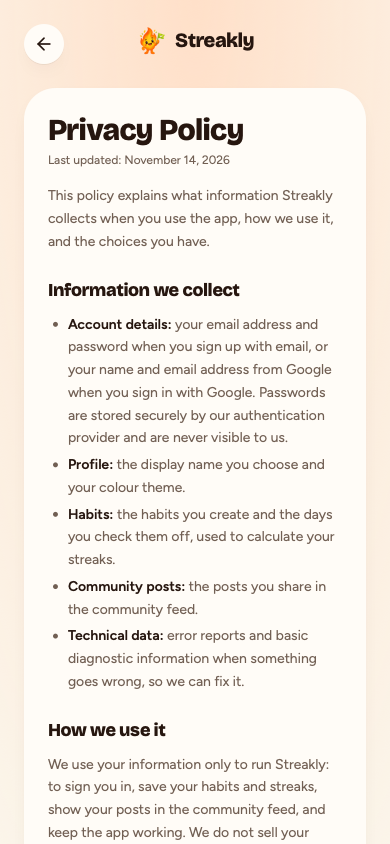
We add a privacy policy page and a link to it where people can easily find it.
Show the evidence

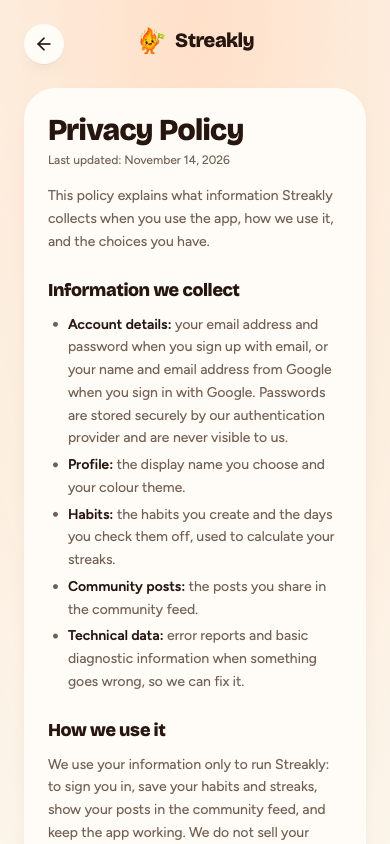
No route, page or link to a privacy policy was found in the app, and a reviewer would likely reject an app whose privacy policy cannot be reached from inside it. In the app: No privacy policy link was found on the first screen, in the menu, in the footer or on the sign-up screen.

Evidence

src/routes/auth.tsx:69Sign-up collects personal data, but no privacy policy is linked

Before the fix

Screen at the end of the R5 check

After the fix

After the fix: screen at the end of the R5 check
Confidence: highChecked in the code and the running appFirst review: Likely rejectionR5
Guideline 5.1.1(v)Fixed and verified

An account can be deleted in the app

The problem
People can create an account in your app but cannot delete it there.
Why Apple cares
Apple requires that any app that lets people sign up also lets them delete their account from inside the app.
What we do
We add a "Delete my account" option in the settings that removes the account and its data.
Show the evidence

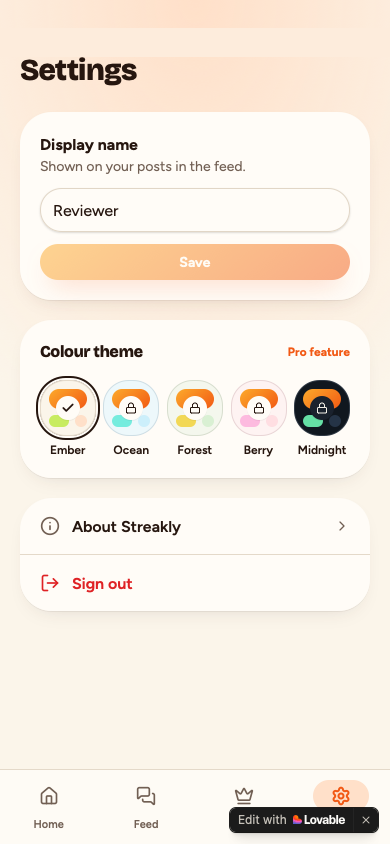
The app lets users create an account but nothing in the code deletes one, and a reviewer would likely reject an app that offers sign-up without in-app account deletion. In the app: The settings page does not offer a way to delete the account (only 'Sign out' is available under settings).

Evidence

src/routes/auth.tsx:69Accounts are created here (signUp)

Before the fix

Screen at the end of the R6 check

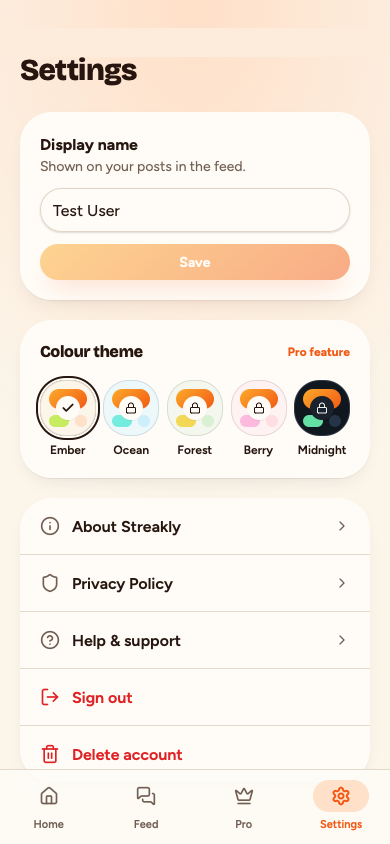
After the fix

After the fix: screen at the end of the R6 check
Confidence: highChecked in the code and the running appFirst review: Likely rejectionR6
Guideline 1.5Fixed and verified

A support or contact page exists

The problem
Your app has no page where people can find support or contact you.
Why Apple cares
Apple wants customers to have an easy way to get help with the app.
What we do
We add a support page with a way to contact you and link it from the app.
Show the evidence

No support, contact or help route, page or link was found, and a reviewer would likely object that users have no way to get help. In the app: No support, help or contact page and no support email address was found on the first screen, the screens it links to, or the settings screen.

Evidence

src/components/bottom-bar.tsx:13Footer and navigation have no support or contact link
Screen at the end of the R9 check
Confidence: highChecked in the code and the running appFirst review: Likely rejectionR9

This is a rehearsal, not a decision. It describes likely outcomes and risks; the real review can still reach a different result.

— The FixThenShip review desk

Devin board

7 sessions
RuleStatusPull requestSummary
Finished
R2: Replaced the Lorem ipsum testimonials on the About page (src/routes/about.tsx) with a real "How it works" feature section.
Finished
R5: added an in-app /privacy Privacy Policy page and linked it from the sign-up screen, the landing page footer and Settings.
Finished
Added a confirmed 'Delete account' option to Settings that calls a new authenticated server function, which deletes the user's habit_checks, habits, posts and profile rows and then the auth user.
Finished
Added a 'Sign in with Apple' button above 'Continue with Google' on /auth (using lovable.auth.signInWithOAuth('apple')) and an .env.example with placeholders for APPLE_SERVICES_ID, APPLE_TEAM_ID, APPLE_KEY_ID and APPLE_PRIVATE_KEY. Apple keys are still needed before Sign in with Apple can work.
Finished
R8: when Capacitor reports iOS, the app hides all paths to the Stripe Pro checkout (opening /pro redirects to /home, the Pro tab is removed, Settings hides the Pro link and locked swatches); the web is unchanged, and selling Pro on iPhone needs In-App Purchase.
Finished
R9: added a /support Help & support page with the developer's support email, linked from Settings and from the About page (reachable signed-out from the first screen).
Finished
R10: replaced the default Lovable heart favicon with the Streakly flame icon (title/meta already clean); the owner must turn off the hosted 'Edit with Lovable' badge in Lovable project settings.

What is left to do

Fixed and verified

4
Guideline 5.1.1(i)Fixed and verified

A privacy policy is reachable in the app

After the fix

After the fix: screen at the end of the R5 check

Devin: R5: added an in-app /privacy Privacy Policy page and linked it from the sign-up screen, the landing page footer and Settings. pull request

Guideline 5.1.1(v)Fixed and verified

An account can be deleted in the app

After the fix

After the fix: screen at the end of the R6 check

Devin: Added a confirmed 'Delete account' option to Settings that calls a new authenticated server function, which deletes the user's habit_checks, habits, posts and profile rows and then the auth user. pull request

Needs you

3
  • Guideline 4.8Third-party login comes with an Apple optionAdd your Apple developer keys to finish Sign in with Apple
  • Guideline 3.1.1Digital goods are not sold through outside checkoutSelling inside the iPhone app needs in-app purchase; the outside checkout is now hidden there
  • Guideline 4.2.6No app-builder badge or default brandingSwitch off the builder's badge in your app builder's project settings; its hosting adds the badge, not your code

Still failing

0

None.

Not checked

3
Guideline 2.1(a)Passed

The app loads without errors

Passed.

Guideline 2.1Passed

No dead buttons or broken links

Passed.

Guideline 2.1(a)Passed

The reviewer can get in

Passed.

Before you submit: what we could not see for you

We checked the app itself. These live in App Store Connect or in your own records, so only you can check them.

Reviewer access and the iPhone build

  • Sign in with the demo account in App Review Information. Check it will not expire, and your contact details are current.

    A reviewer who cannot sign in, or cannot reach you with a question, cannot finish testing the app. Guideline 2.1(a)

  • Check your hosting, database and AI credits will not pause or run out while Apple reviews the app.

    If the server is asleep or out of credit when the reviewer opens the app, it looks broken or unfinished. Guideline 2.1(a)

  • Install your TestFlight build on an iPhone, and an iPad if you can. Try every login button and every main screen.

    A crash, a login that fails or a broken layout that exists only in the iPhone build is invisible to FixThenShip's web test. Guideline 2.1(a)

  • Check your review notes give steps to each main feature, say where purchases are, and explain what the reviewer cannot try.

    Apple says generic descriptions will be rejected, and a feature the reviewer cannot find may be treated as missing. Guideline 2.3.1(a)

  • Check the iPhone build does something your website in Safari cannot, and name it in the review notes.

    Apple can reject an app it sees as only a repackaged website, and FixThenShip cannot judge that for you. Guideline 4.2

Privacy

  • Open the Privacy Policy URL in App Store Connect. It must load and say what you collect and who receives it.

    Apple requires this link in App Store Connect as well as in the app. The policy must say what data you collect and how you use it, and cover outside services that receive it. Apple also asks you to say clearly when data goes to a third-party AI (5.1.2(i)). Guideline 5.1.1(i)

  • Read your App Privacy answers in App Store Connect. They must cover everything the app, its analytics and ad tools collect.

    Apple treats these answers as part of the listing, so leaving out data the app really collects counts as inaccurate information. Guideline 2.3

  • On the iPhone build, trigger each permission request: camera, location, tracking if you use ad tools. Each must say plainly why.

    Apple asks that each permission text clearly explains how the data is used (5.1.1(ii)), and requires permission through App Tracking Transparency before tracking (5.1.2(i)). Guideline 5.1.1(ii), 5.1.2(i)

Screenshots and store listing

  • Look at your screenshots. Most must show the app in use as it looks today, not a splash or login screen.

    Screenshots that show only a splash or login page, or an old design, do not meet Apple's rule that they show the app in use. Guideline 2.3.3

  • Check your iPad screenshots were taken on an iPad or the iPad simulator, not resized or stretched from iPhone ones.

    App Store Connect asks for screenshots for each device size, and a founder was rejected for iPad screenshots resized from iPhone ones. Guideline 2.3.3 asks that screenshots show the app in use. Guideline 2.3.3

  • Read your description and screenshot captions. Remove any feature the app does not have yet, and say which ones cost extra.

    A listing that promises features the app lacks, or hides that a feature costs extra, counts as inaccurate. Guideline 2.3

  • Check the app name and subtitle contain no other brands' names such as 'GPT', no prices and no lists of keywords.

    Apple's rule bans packing the name or keywords with trademarks, popular app names or prices, so such a listing can be rejected. Guideline 2.3.7

  • Search your listing text and screenshots for 'Android', 'Google Play', other stores' logos or an Android status bar. Remove them.

    Apple does not allow the names, icons or pictures of other mobile platforms or app stores in a listing. Guideline 2.3.10

Purchases and subscriptions (skip if the app sells nothing)

  • In App Store Connect, check the Paid Apps Agreement is active and every in-app purchase is added to this submission.

    Without an active agreement you cannot submit purchases, and purchases the reviewer cannot find or use count as an incomplete app. Guideline 2.1(b)

  • If you sell subscriptions, check your App Store listing links to your Terms of Use as well as your Privacy Policy.

    Apple's subscriptions page says both the app and its App Store listing must carry these links. Guideline 3.1.2

  • On the TestFlight build, tap Restore Purchases and check a purchase made with a test account comes back.

    A real restore only happens in the iPhone build, so FixThenShip cannot test it, and a broken one is a known rejection reason. Guideline 3.1.1

Support, age rating and legal basics (reminders, not legal advice)

  • Open the Support URL in App Store Connect. It must load and show a current way to contact you.

    Apple requires a support link with up-to-date contact details for every app, and FixThenShip cannot see the one in your listing. Guideline 1.5

  • Check your age rating answers in App Store Connect. They should match the app, including chat, user posts or mature themes.

    Apple asks for honest answers, and a rating that does not match what is in the app can lead to rejection. Guideline 2.3.6

  • Keep proof that you own or may use every brand name, image, font and icon in the app and listing.

    Apple does not allow other people's trademarks or copyrighted work without permission, and FixThenShip cannot tell who owns what. Guideline 5.2.1

  • In App Store Connect, check your build shows no 'Missing Compliance' warning. If it does, answer the encryption questions.

    Apple asks about encryption when you submit a version, and a build marked 'Missing Compliance' needs your answer before it can move on.

Notes for App Review

Paste into App Store Connect, App Review Information, Notes. Fill in the demo account first.

Daily Bloom Community (built from the daily-bloom-community repository) is the iPhone version of https://daily-bloom-community.lovable.app.

Demo account: <email> / <password>

Changes since the last build:
Placeholder content: replaced with final text and images
Privacy policy: Settings, Privacy Policy
Account deletion: Settings, Delete account
Support: Settings, Support

FixThenShip predicts what a reviewer is likely to flag. Apple makes the decision.